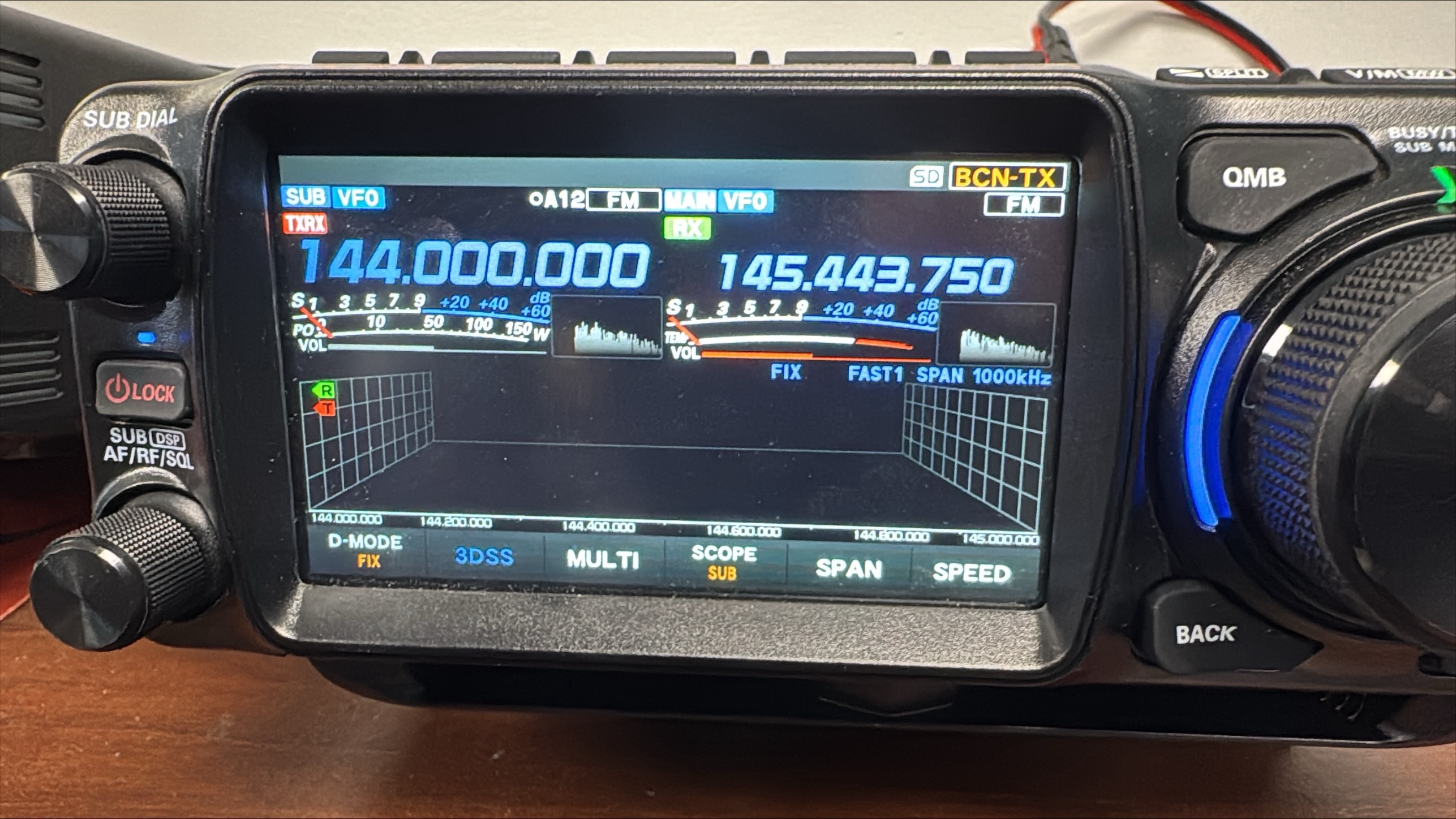
A customer came to us with their FTX-1 presenting a grayed out volume bar on the Sub VFO. Troubleshooting revealed that the "Sub Band Mute" option had no effect on the issue. Loading the customer's file in to our in-house radio to observe the issue ultimately revealed that APRS related settings were the root cause.
An unusual gray volume bar on the left (Sub) VFO with a normal red volume bar on the right (Main) VFO:
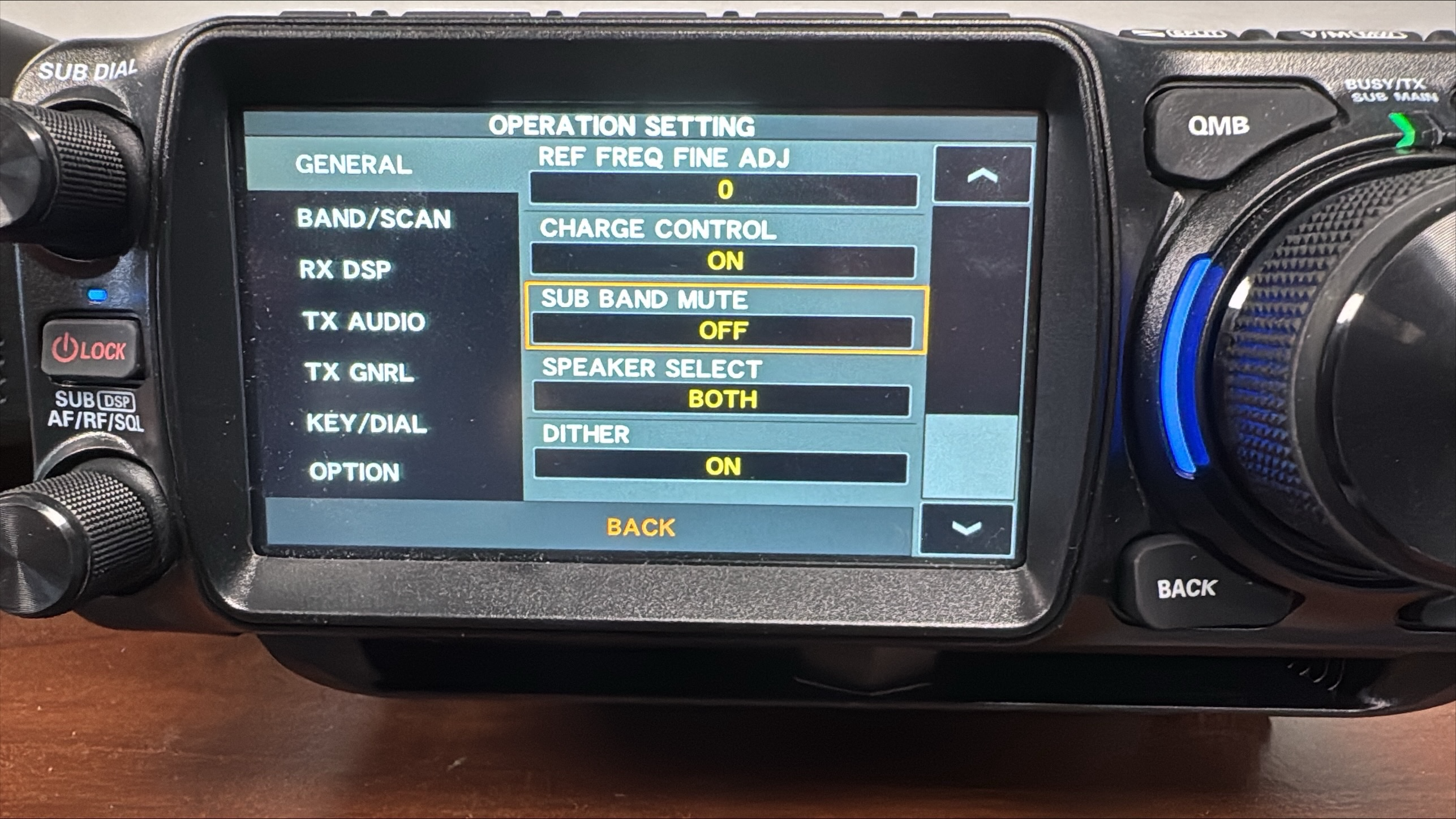
Sub Band Mute setting confirmed OFF:
The actual problem:
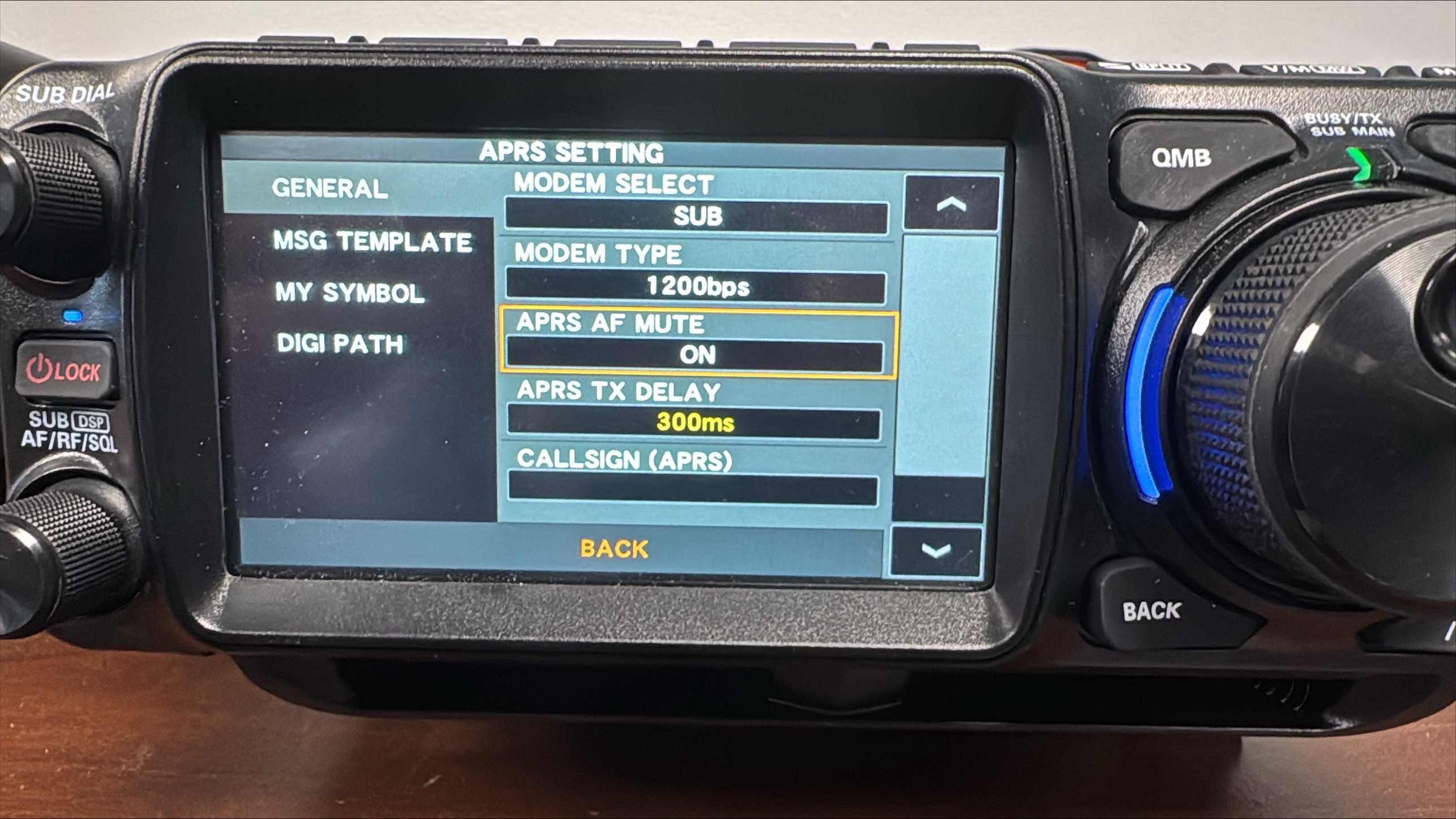
With the APRS settings shown above the radio is directed to use the Sub band for the APRS modem and to mute the AF (the radio's volume) on that band. This is why the Sub band's volume bar is grayed out. The radio is telling us that the AF on that band is muted due to our ARPS settings.
Solve the problem by selecting a different band for the APRS modem or by setting "APRS AF Mute" to OFF. You'll find both settings in the RT Systems programmer via "Settings > Radio Menu Settings > APRS Setting" as shown below.
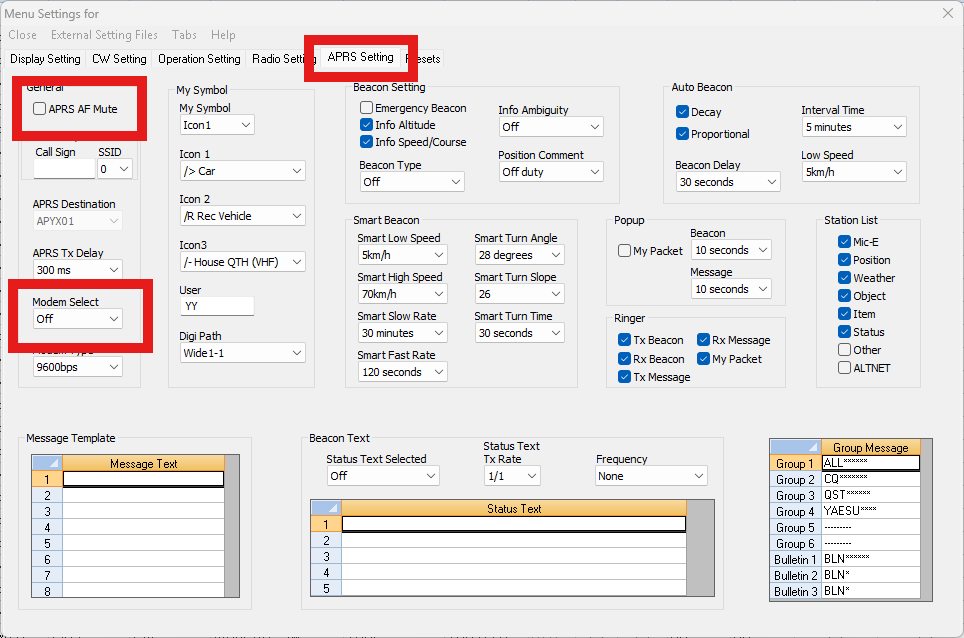
Note that this article is not intended to illustrate proper APRS configuration or to imply that the above settings are or are not necessary for your personal APRS setup. Our intent is only to outline the steps taken to restore normal volume function to the Sub band in situations where the above settings have caused volume to be lost and to alert our customers to the fact that these settings may cause unwanted behavior in the radio if changed.
Was this article helpful?
That’s Great!
Thank you for your feedback
Sorry! We couldn't be helpful
Thank you for your feedback
Feedback sent
We appreciate your effort and will try to fix the article