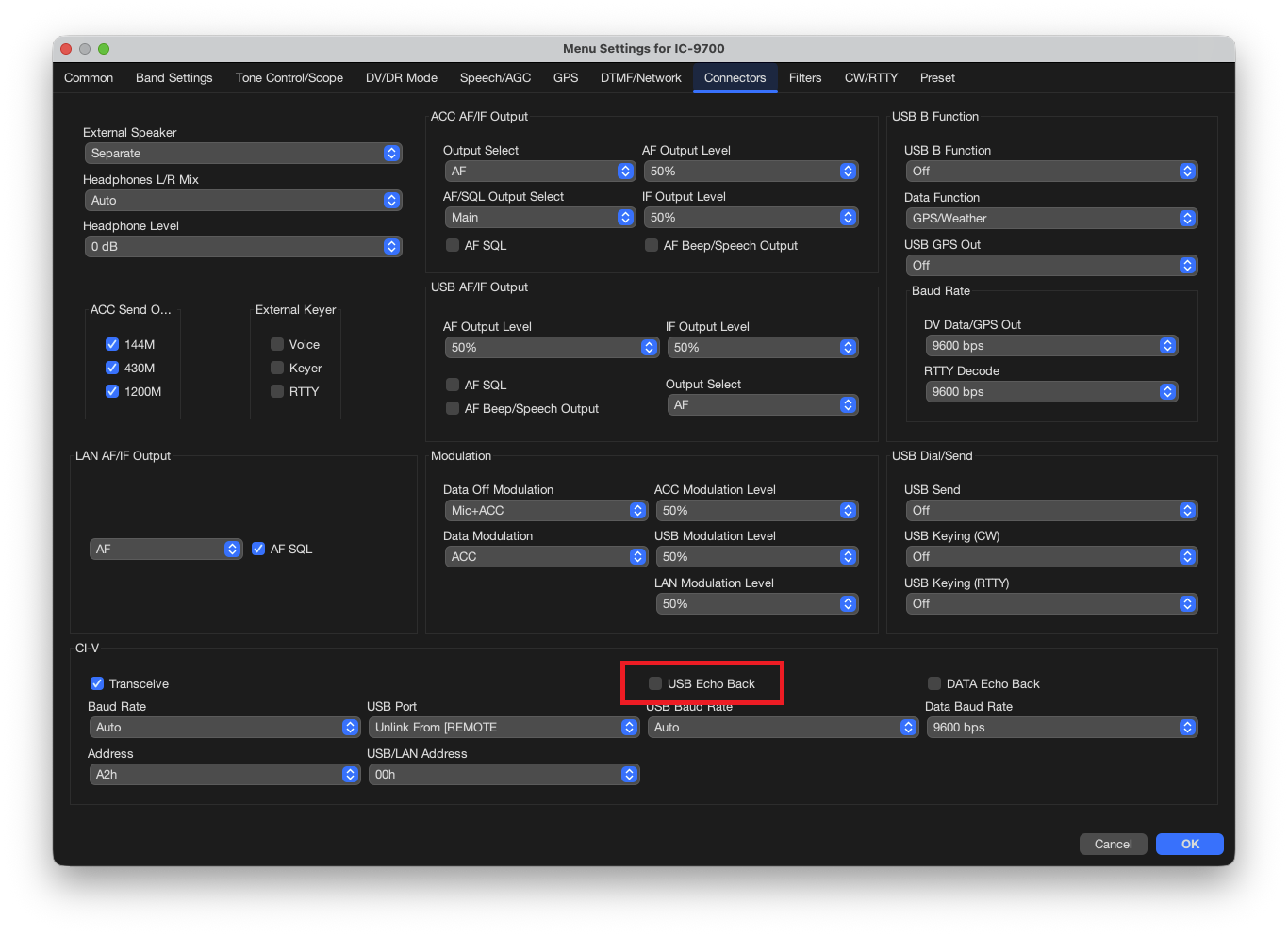
The "CI-V USB Echo Back" setting will prevent an IC-9700 from communicating with a Mac using the RT Systems Programmer.
The setting is turned OFF in the IC-9700 by default, thankfully. It can be toggled on by the software though so it may become an issue unexpectedly.
Find the setting in the radio via "Menu > Set > Connectors > CI-V > CI-V USB Echo Back." Make sure both the A and the B are turned off.
Find the setting in the Programmer (Settings | Radio Menu Settings | Connections) as seen in the image below:
Was this article helpful?
That’s Great!
Thank you for your feedback
Sorry! We couldn't be helpful
Thank you for your feedback
Feedback sent
We appreciate your effort and will try to fix the article