The RT Systems Programmer does not show NXDN settings until Communications | Get Data From Radio is completed with a radio that has NXDN capabilities. Be sure to do this step first to access everything in this article.
General
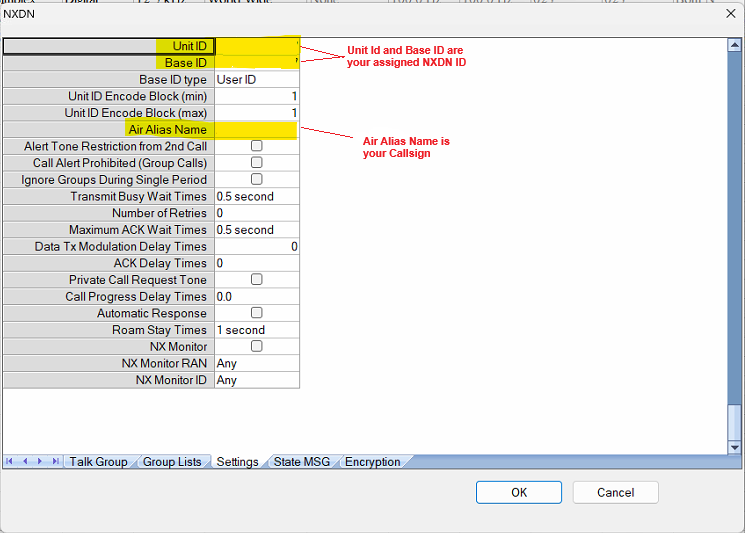
- An NXDN ID is required. Apply at radioid.net (similar to that for DMR ID)
- User's ID must be in the radio as both the Unit ID and Base ID.
- Air Alias Name should be their ham radio callsign.
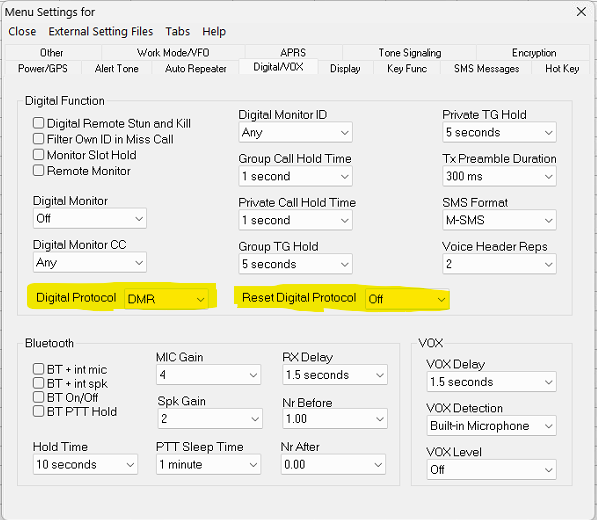
DMR or MXDN
- The AT-D890 can do either DMR OR NXDN. The user must choose which one is active. The radio CANNOT have both digital modes active at the same time.
- To select on the radio: Menu > Settings > Radio Set > Other Func > Protocol
- This can be set in the Programmer from Settings | Radio Menu Settings but... unless you plan to always use this radio on NXDN, you will need to know how to change this from the face of the radio so you can operate in the mode you want when you want.
Talk Groups
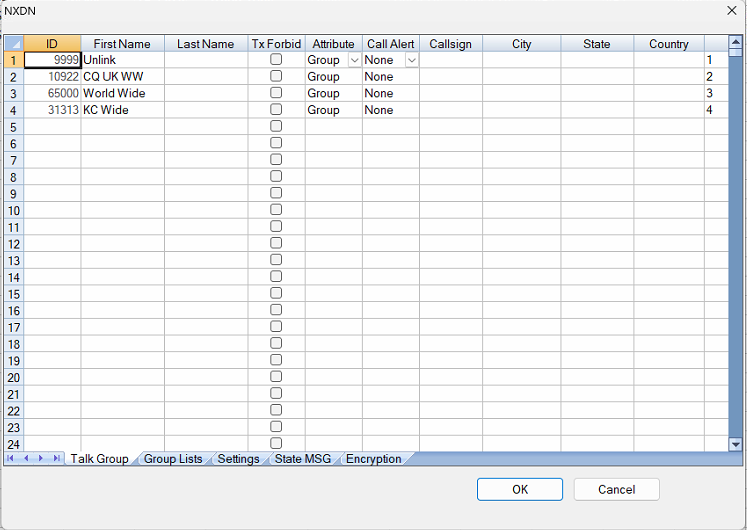
- Functionally the same as their DMR equivalents... but they are not the same. They can be found through internet searches. Be sure you use those specific to NXDN.
- Talk group number and setting as "Group Call" are important
- Same as DMR, a channel can only have one talk group attached to it. If you have 10 different talk groups, you will need10 different memory channels to which each is associated.
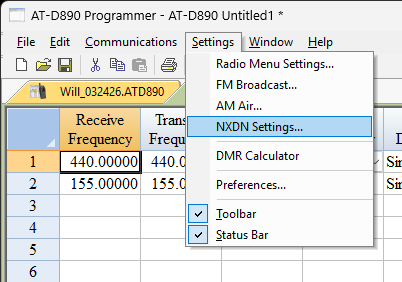
- Accessed in the programmer through Settings | NXDN Settings
Channel Setup
- Very similar to DMR
- In the RT Systems Programmer, select Edit | NXDN Mode to eliminate settings for the radio that are not needed for NXDN functions.
- Talk group must be associated with the channel
- RAN (radio access number) codes are important. These seem to be similar to color codes in DMR
- User must know which is being used.
- Most hotspots will use 1 for TX and Rx
- PTT ID is EXTREMELY important to have turned ON. This controls whether the selected Talk Group number is transmitted for that channel.
- If not activated the radio will read "NULL ID" when you transmit and nothing will happen at the repeater/hotspot as determined by watching the dashboard for the device.

Zones
- Zones are zones. Channels are channels. Analog, DMR and NXDN can be in the same zone although this is not wise as you must switch the operating mode of the radio to use the NXDN channels. A separate Zone for NXDN channels would be advised although combining Analog and NXDN is realistic.
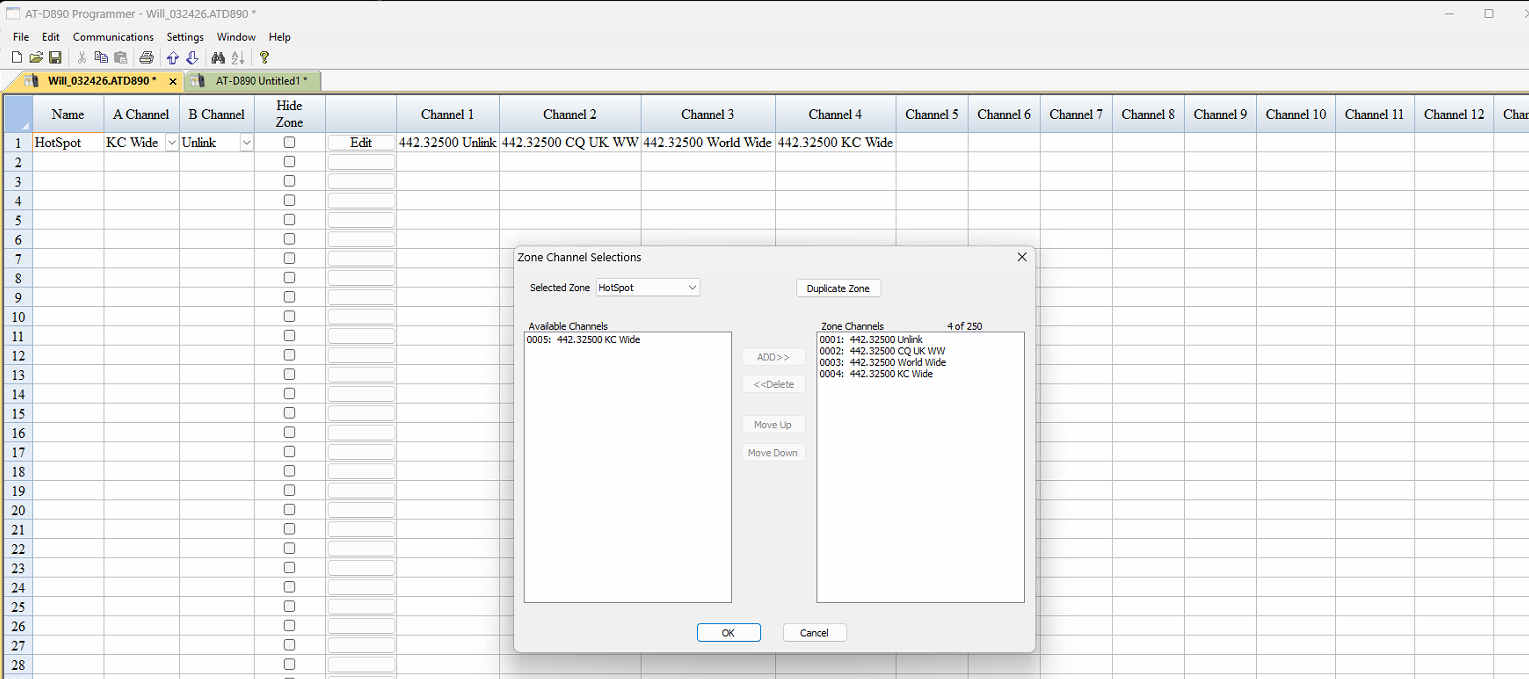
So just as with DMR, you need an NXDN ID, NDXN talk groups, a memory channel with details set properly, and that channel in a zone.
This will get you going.
Was this article helpful?
That’s Great!
Thank you for your feedback
Sorry! We couldn't be helpful
Thank you for your feedback
Feedback sent
We appreciate your effort and will try to fix the article