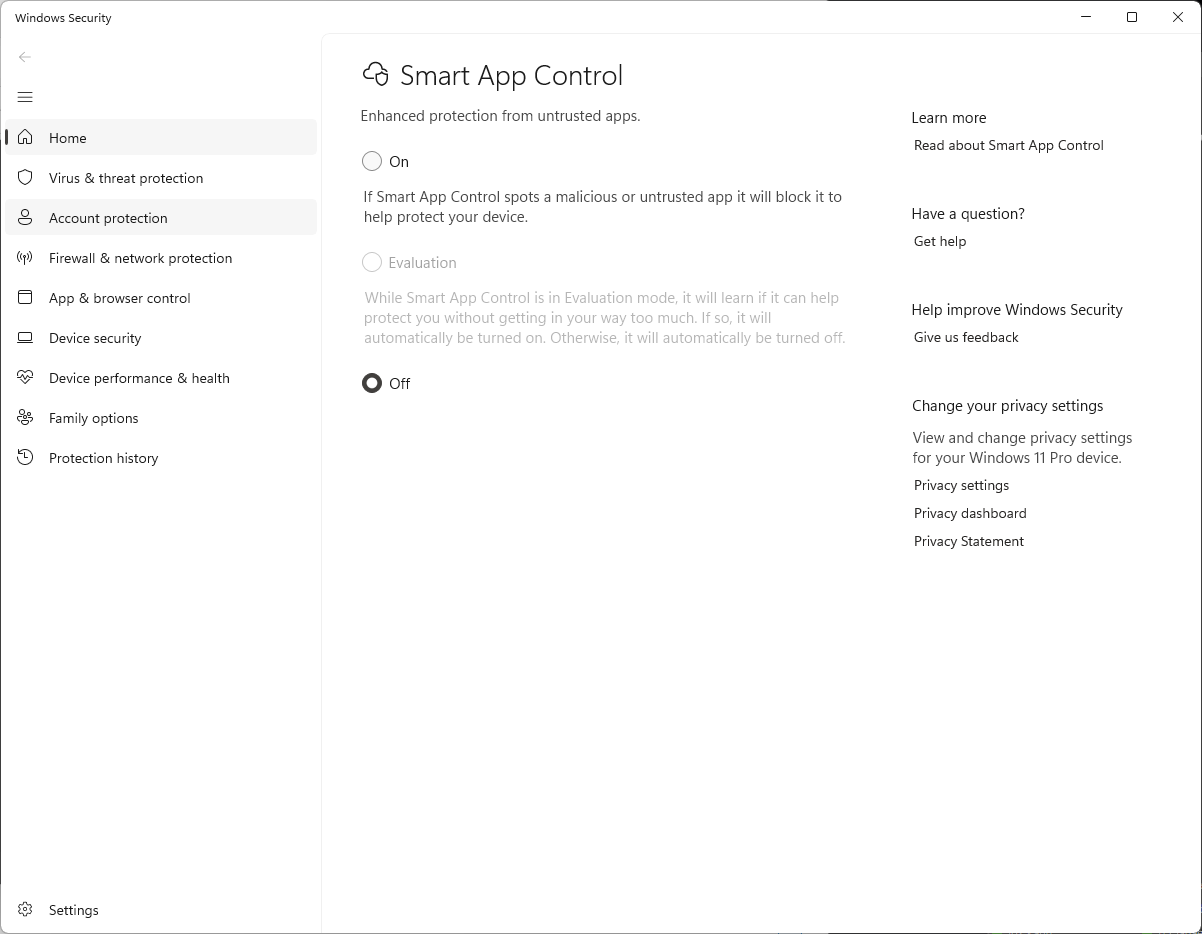
Microsoft recently introduced a new security feature in Windows 11. They call it "Smart App Control" and it will be turned on by default in new Windows 11 installations.
There is a good chance that having this setting turned on will prevent your RT Systems software from booting up. The only solution is to go in to your Windows security settings to turn it off. Microsoft claims that this is a dynamic system that will learn your usage habits and most commonly used programs but in our experience it is inconsistent in what it will and will not block. On some computers it will prevent an RT Systems programmer from running but on another computer it will not. In some cases it may even prevent one programmer on a given computer from running where a different programmer on that same computer will work fine.
This issue is not unique to RT Systems. It will effect many different kinds of software you try to install on your computer. Basically anything that doesn't come directly from Microsoft's ecosystem. The standard solution from Microsoft to customers who report issues has been to simply turn Smart App Control off. RT Systems recommends you do the same if you run in to issues.
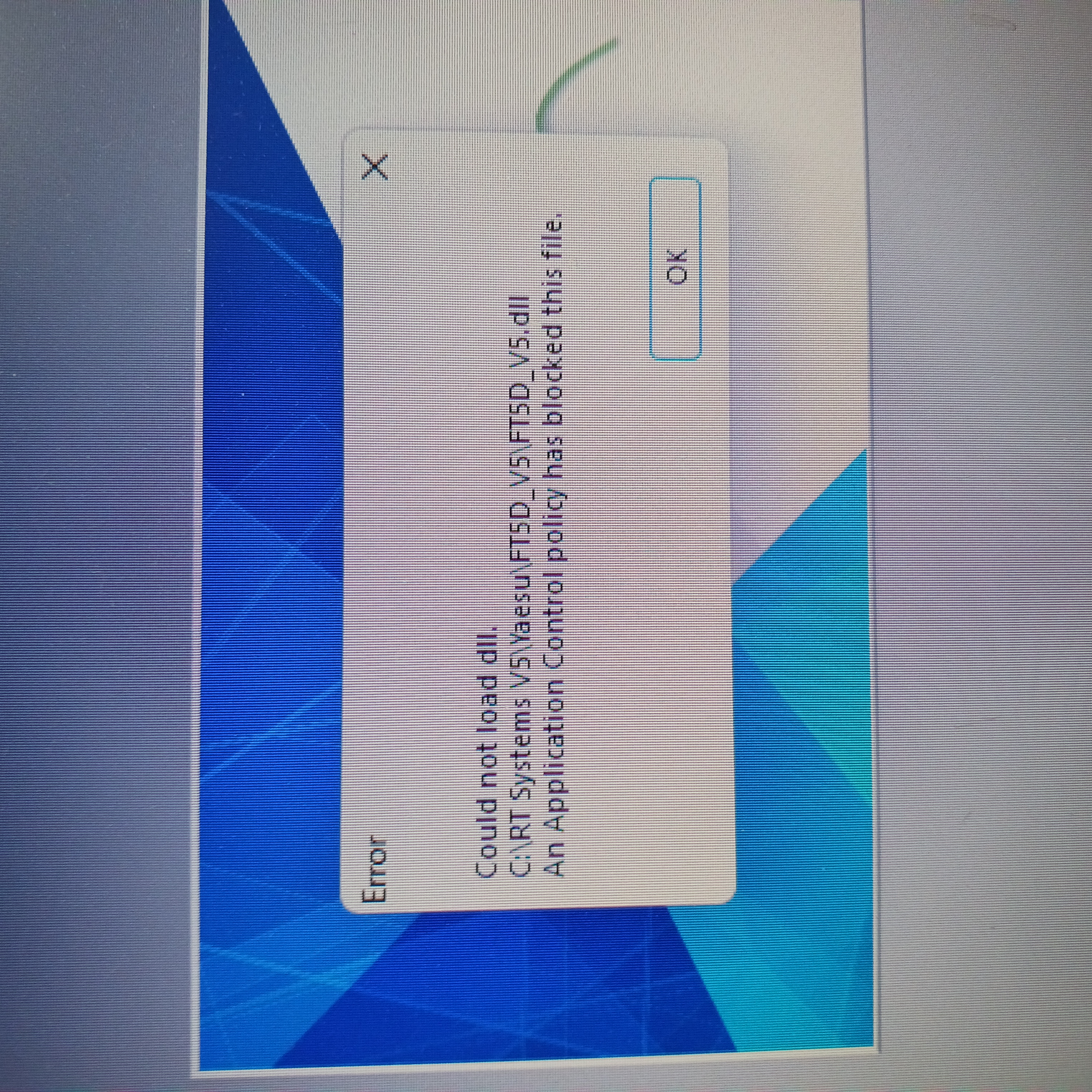
You will see an error message similar to the one in the image below if Smart App Control is causing problems. This was sent to us by a customer who would not get his FT-5D programmer to launch. After turning Smart App Control off his software worked normally.
Smart App Control error:
Smart App Control setting:
Was this article helpful?
That’s Great!
Thank you for your feedback
Sorry! We couldn't be helpful
Thank you for your feedback
Feedback sent
We appreciate your effort and will try to fix the article