We are not exactly sure what causes this issue but we wanted to document it because we know it is not related to any RT Systems software, cables, or cable drivers. It is something that you will need to troubleshoot and diagnose with a general computer repair technician, the original manufacturer of your computer, or with Microsoft themselves.
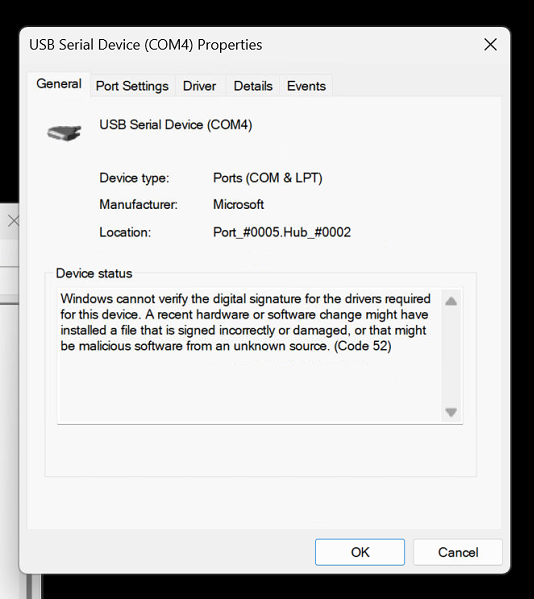
The issue will manifest when you plug a device in to a USB port on your computer. We have encountered it most commonly with DMR radios. When you look at the properties of the device via Windows Device Manager you will see a description of the Code 52 problem in the "Device Status" section.
Please understand that this is not something RT Systems can directly help you solve. It is an operational defect with your computer at a very deep and core level. The only solution we are aware of is to completely reinstall the Windows operating system from scratch. We would encourage you to consult with a professional Windows technician first before you elect to completely reinstall the operating system.
Was this article helpful?
That’s Great!
Thank you for your feedback
Sorry! We couldn't be helpful
Thank you for your feedback
Feedback sent
We appreciate your effort and will try to fix the article